An Introduction to Java Automation Tools
In the evolving landscape of software development, automation stands out as a critical component for efficiency and quality. Java, being a versatile and widely-used programming language, offers a rich ecosystem of tools designed to streamline automation tasks. This article provides a comprehensive introduction to some of the top Java automation tools.
1. Selenium WebDriver

Overview:Selenium WebDriver is a leading choice for automating web application testing. It allows Java developers to control a web browser programmatically, simulating user actions for testing purposes.
Key Features:
- Supports multiple browsers and programming languages.
- Integration with various testing frameworks.
- Facilitates functional and regression testing.
2. JUnit

Overview:JUnit is a widely-adopted testing framework in the Java ecosystem. It offers a range of annotations and assertion methods to facilitate unit testing.
Key Features:
- Simplifies test method identification with annotations.
- Provides robust assertion methods.
- Seamlessly integrates with IDEs and build tools.
3. TestNG

Overview:Inspired by JUnit, TestNG extends functionality with additional features such as data-driven testing and parallel test execution.
Key Features:
- Enhanced test configuration with annotations.
- Supports data-driven testing using @DataProvider.
- Enables parallel test execution.
4. Apache JMeter

Overview:Apache JMeter is a versatile tool primarily used for load and performance testing of web applications, though it also supports functional testing.
Key Features:
- Conducts load and performance testing.
- Supports a variety of protocols.
- Extensible with plugins for added functionality.
5. Apache POI
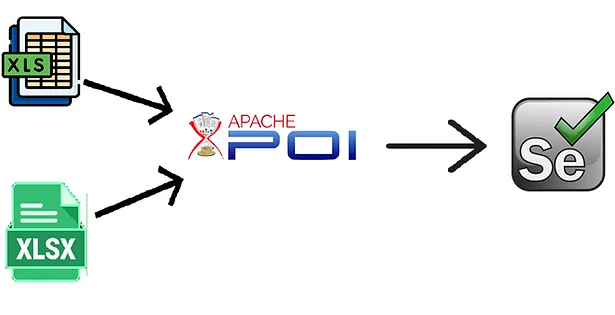
Overview:Apache POI is a powerful library for managing Microsoft Office documents through Java. It is particularly useful for tasks involving Excel files.
Key Features:
- Reads and writes Excel files.
- Supports other Office formats like Word and PowerPoint.
- Handles complex document structures.
Conclusion
In this inaugural article, we’ve provided a broad overview of essential Java automation tools. Each tool offers unique capabilities, making them valuable for different automation needs.